


The real cost of poorly designed Office Templates
to your Office files.
If this article has made you rethink how your business uses Word, Excel or PowerPoint, ZOARC Creative can help create polished, brand-aligned templates for letterheads, reports, proposals, bids and presentations.
Trusted for Microsoft Office template and formatting support

Office templates are easy to underestimate. They sit quietly inside Word, PowerPoint and Excel, waiting to be used for reports, proposals, pitch decks, credentials documents, board papers, policies, dashboards and client presentations.
When they work well, most people do not notice them. The document simply looks right. The brand is consistent. The formatting behaves. The user can focus on the message rather than fighting the file.
When office templates are poorly designed, the cost is not limited to a few untidy slides or misaligned headings.
Bad templates create lost time, duplicated effort, brand inconsistency, accessibility issues, version control problems and unnecessary pressure on the people expected to produce polished business documents at speed.
A template is not just a design file. It is a working system.
The hidden time cost
Most teams do not track how much time is spent fixing office documents. It is usually absorbed into the day under vague labels such as “finalising”, “cleaning up”, “formatting”, “tidying”, “making it on brand” or “sorting the deck”.
That is exactly why the cost is so easy to miss.
Microsoft’s 2023 Work Trend Index found that 62% of survey respondents struggled with too much time spent searching for information during the working day. The same report also noted that, across Microsoft 365 apps, the average employee spent 57% of their time communicating and 43% creating in documents, spreadsheets and presentations.
Poor templates make that creation time less productive. Instead of writing the proposal, shaping the narrative or checking the numbers, users spend time adjusting bullet indents, fixing table widths, replacing fonts, resizing logos, correcting slide layouts, hunting for the “latest” version or copying content from an older file because it looks closer to what they need.
If a team member has to manually fix the same formatting issue every week, that is not a user problem. It is a template problem.
The time loss is rarely dramatic in one sitting. Five minutes here. Twenty minutes there. An hour before a client deadline. A whole afternoon when a document breaks after being combined, copied, translated or exported to PDF.
Across a team, those small moments compound quickly.
The cost of inconsistent brand presentation
A brand guideline may define the correct colours, typography, logo use, spacing, imagery and tone. But if those decisions are not built properly into Word, PowerPoint and Excel, the guideline remains theoretical.
This is where many organisations struggle. The brand is designed beautifully, but the working files are not. Users are left to interpret the brand manually every time they create a document.
The result is usually familiar:
One pitch deck uses the right colours but the wrong font.
One report has a stretched logo.
One proposal uses an old cover page.
One team has a “better” version of the template saved locally.
One slide deck looks like it belongs to a completely different company.
Brand consistency has commercial value. A Lucidpress/Marq brand consistency study reported that consistent brand presentation can be associated with up to a 33% increase in revenue.
That does not mean a template alone creates revenue. But it does show that consistency matters. Every external document contributes to how a business is perceived. Poorly built templates make consistency harder to maintain, particularly when documents are created by non-designers under time pressure.
Brand consistency should not depend on whether the person creating the document has a good eye for layout. The template should carry that responsibility.
Good office templates translate brand rules into practical tools. They make the correct option the easy option.
The best templates do not ask users to remember the brand. They help users apply it correctly by default.
The cost of unnecessary rework
Poorly designed templates often create a second layer of work. First, the user creates the document. Then someone else fixes it.
That someone might be a marketing manager, a brand team, a designer, a senior colleague, a bid manager or a document production specialist. In many businesses, highly skilled people spend too much time correcting avoidable formatting problems.
This creates a strange internal economy: the business invests in experienced people, then uses part of their time to repair documents that should have worked properly from the start.
Rework can include:
- rebuilding slides because content was placed on the surface rather than in proper placeholders
- correcting Word styles because users manually formatted headings
- fixing tables that do not resize properly
- replacing copied-in colours that are close to the brand but not accurate
- cleaning up documents where section breaks, headers and footers have failed
- repairing decks where images have been cropped inconsistently
- adjusting charts because Excel outputs do not match the brand system
The larger the organisation, the more expensive this becomes. Panopto’s Workplace Knowledge and Productivity research reported that knowledge workers waste 5.3 hours every week either waiting for vital information from colleagues or recreating existing institutional knowledge.
Template issues often sit within that same pattern. People recreate layouts because they cannot find the correct one. They ask colleagues for old examples. They copy from previous files. They reverse-engineer documents rather than using a reliable system.
Every time someone recreates a document layout from an old file, the organisation loses a little more control over quality, consistency and time.
The cost of poor user experience
A template can look good in a PDF and still fail in daily use.
This is one of the biggest gaps between template design and template development. A PDF shows the intended appearance. A working Microsoft Office template has to survive real users, real content and real deadlines.
A good template needs to answer practical questions:
Can users add more text without breaking the layout?
Do image placeholders crop predictably?
Are chart colours easy to apply?
Do tables behave when rows are added?
Are heading levels clear?
Do page numbers work across sections?
Can users create landscape pages without damaging headers and footers?
Does the template export cleanly to PDF?
Can another person open the file without missing fonts or broken formatting?
A template is successful when ordinary users can create good-looking documents without needing to understand how the template was built.
Poor user experience does not only slow people down. It also reduces trust. Once users stop trusting the official template, they build their own workarounds. That is when version control problems begin.
A template that frustrates users will eventually be bypassed, no matter how good it looks in the brand presentation.
The cost of version drift
Version drift happens when different people, teams or departments begin using slightly different versions of the same template.
It often starts innocently. Someone fixes a slide. Someone adjusts a report cover. Someone adds a useful table. Someone keeps an older file because it “works better”. Someone copies from a client-ready document rather than starting from the master template.
Over time, the organisation no longer has one template. It has dozens of unofficial variants.
This creates several problems:
The brand becomes inconsistent.
Old disclaimers or legal wording may continue to circulate.
Teams waste time checking which version is correct.
New starters inherit outdated files.
Design improvements never reach everyone.
The marketing or operations team loses control of the document system.
Version drift is particularly common when templates are treated as one-off files rather than maintained assets. The launch of a new template is important, but so is governance: where the template lives, how it is updated, who owns it, how changes are communicated and how users are trained.
Without ownership and governance, even a well-designed template can slowly turn into a collection of inconsistent files.
The cost of accessibility problems
Accessibility is another area where poor templates create hidden risk.
In Word and PowerPoint, accessibility is not only about adding alt text. It is also about using proper heading structures, readable contrast, meaningful slide titles, logical reading order, accessible tables and clear formatting that works for people using assistive technology.
Microsoft’s own guidance on making content accessible in Microsoft 365 highlights practical features such as headings, alternative text, colour contrast, accessible tables and the Accessibility Checker. These are not just final checks; they are structural decisions that can be supported or undermined by the template itself.
A visually attractive document can still be difficult to navigate if it is built incorrectly.
This matters for internal and external communication. It is especially important for organisations producing reports, policies, public-facing documents, investor materials, training content, proposals or documents that may be converted to PDF.
A poorly built template can repeatedly create inaccessible documents, even when the user’s content is perfectly clear. The problem is baked into the starting point.
Accessibility should not be left until the final PDF check. It should be considered when the template is designed, built and tested.
Good templates make accessibility easier by giving users the correct structure from the beginning.
Accessible document production starts with the template, not with a last-minute compliance check.
The cost of bad PDF output
Many business documents do not end their life as Word or PowerPoint files. They are exported to PDF, shared externally, uploaded to a website, sent to clients or archived.
This is where weak template construction often becomes visible.
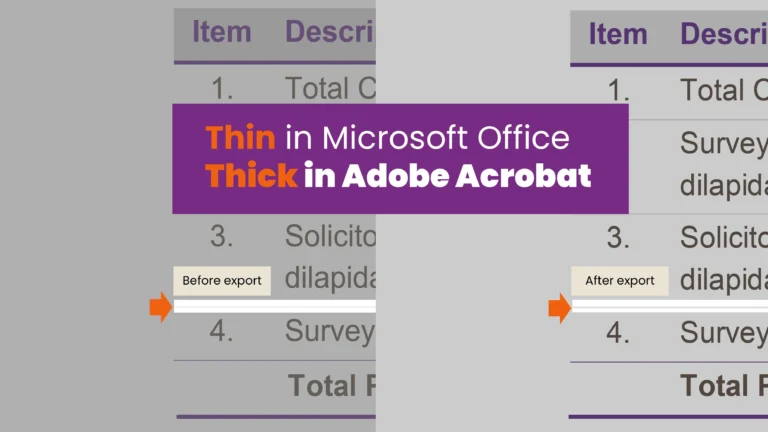
Common PDF issues include thickened lines, distorted icons, poor image quality, broken links, missing bookmarks, incorrect reading order, inconsistent page sizes and strange spacing changes. Thin strokes, fine rules, small text and complex layered shapes can all behave differently once exported.
Adobe’s guidance on creating and verifying PDF accessibility highlights the importance of reading order, tags, document structure and accessibility checking. These issues are much easier to manage when the source Word or PowerPoint file has been built cleanly in the first place.
This is not always obvious during the design stage. A file can look clean inside PowerPoint or Word but produce poor results when saved as a PDF.
For organisations that publish reports, proposals, credentials documents or policy papers, PDF quality is not a minor detail. It affects readability, professionalism and accessibility.
If the final deliverable is a PDF, then PDF output needs to be considered during template development, not after the document is finished.
The cost of slowing down AI and automation
AI is changing how teams draft, summarise and repurpose content. Microsoft’s 2024 Work Trend Index reported broad workplace adoption of AI, with organisations moving from experimentation towards business transformation.
But AI does not remove the need for well-structured templates. In many cases, it makes them more important.
AI can help draft text, summarise content or generate first-pass material. But the output still needs somewhere to go. If the receiving Word, PowerPoint or Excel template is poorly structured, the same problems remain: inconsistent formatting, weak layouts, manual corrections and unclear governance.
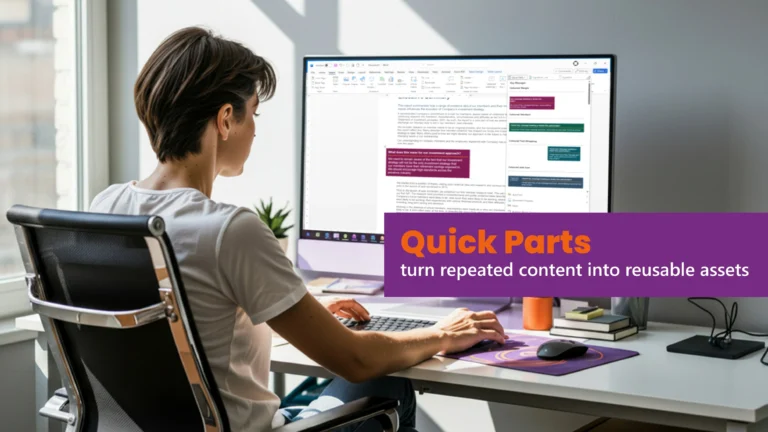
Automation also depends on structure. Macros, Quick Parts, content controls, slide libraries, chart templates and custom ribbons all work better when the underlying template is built properly.
AI can help create content faster, but a poor template can still slow down the final mile between draft and delivery.
A strong template gives AI-assisted content a reliable framework. Without that framework, teams simply produce imperfect documents more quickly.
The future of document production is not only about generating content faster. It is also about placing that content into better systems.
What a well-designed office template should do
A well-designed office template should reduce friction. It should help users produce consistent, polished and practical documents without constantly needing support.
For Word, that may include proper styles, cover pages, table of contents settings, section structures, headers and footers, table styles, captions, cross-references, Quick Parts, content controls and clean PDF export.
For PowerPoint, it may include a well-planned Slide Master, practical layouts, correct placeholders, branded colour themes, image handling, chart styles, divider slides, icon guidance and flexible content structures.
For Excel, it may include branded chart templates, table styles, input/output formatting, dashboard structures, print settings and consistent handling of numbers, colours and data labels.
The best templates balance design control with user flexibility. They protect the brand without making the file frustrating to use.
A good template should feel almost invisible. It should simply help people produce better work with fewer mistakes.
The real cost is not the template. It is everything around it.
A poorly designed template does not always look expensive at first. It may even appear cheaper because it was created quickly or adapted from an existing file.
But the real cost appears later:
lost time
manual formatting
inconsistent brand presentation
unnecessary rework
poor accessibility
bad PDF output
version control issues
frustrated users
slower document production
reduced confidence in business materials
That is why office templates should be treated as business infrastructure, not decoration.
They support sales, marketing, operations, finance, leadership, compliance, training and client delivery. When they are well built, they quietly improve the way teams work. When they are poorly built, they create friction every day.
The cheapest template is not always the one with the lowest build cost. It is the one that saves the most time, protects the brand and works reliably for the people using it.
How ZOARC Creative can help
ZOARC Creative designs and develops bespoke Microsoft Office templates that are built for real-world use, not just visual approval.
We work with businesses, agencies and in-house teams to create Word, PowerPoint and Excel templates that are brand-consistent, practical, user-friendly and easier to manage. This can include report templates, pitch decks, proposal templates, policy documents, letterheads, Excel outputs, chart templates, Quick Parts, automation, custom ribbons and user guidance.
If your team is spending too much time fixing documents, working from old files or struggling to keep Word and PowerPoint materials on brand, the issue may not be the users. It may be the template system.
Need branded Word, PowerPoint or Excel templates that work properly in daily use? Book a call with ZOARC Creative and let’s review what your current templates are costing your team.
Explore more...
- ±5 minutes read
- ±6 minutes read
- ±5 minutes read
- ±10 minutes read

- ±7 minutes read

- ±8 minutes read