


Could your Word and PowerPoint files be failing the UK’s Digital Accessibility requirements?
to your Office files.
If this article has made you rethink how your business uses Word, Excel or PowerPoint, ZOARC Creative can help create polished, brand-aligned templates for letterheads, reports, proposals, bids and presentations.


Trusted for Microsoft Office template and formatting support

When organisations discuss digital accessibility, attention usually turns to websites and mobile applications. The Word proposal sent to a prospective client, the PowerPoint presentation shared after a meeting, the Excel report circulated each month and the PDF uploaded to an intranet are often treated as separate concerns. For the person trying to use that information with a screen reader, keyboard navigation, magnification software or another assistive technology, that distinction means very little.
A website may provide an accessible route to a service, but the experience can break down as soon as the user is asked to download an inaccessible form, read an unstructured report or interpret a presentation whose contents are announced in the wrong order. Digital accessibility therefore needs to extend beyond the web page and into the documents through which organisations communicate, make decisions and deliver services.
An accessible website can still lead to an inaccessible service if the documents behind it cannot be used by everyone.
In the United Kingdom, there is no single blanket rule stating that every Microsoft Word document, PowerPoint presentation or Excel workbook produced by every business must achieve a named accessibility standard. The legal position depends on the organisation, the purpose of the document and how it is distributed. Nevertheless, accessibility is not optional simply because a file was created in Microsoft Office rather than published as a web page.
The Equality Act 2010 applies in England, Scotland and Wales and protects disabled people from discrimination in employment and in access to services. It also establishes a duty to make reasonable adjustments where a disabled person would otherwise be placed at a substantial disadvantage. Northern Ireland has separate legislation under the Disability Discrimination Act 1995. These duties can be relevant when an organisation supplies information, forms, training material, client communications or workplace documents in a format that a disabled person cannot use effectively.
The Equality Act does not prescribe Web Content Accessibility Guidelines 2.2 Level AA as a universal certification test for every private-sector document. Its focus is the disadvantage experienced and the reasonable steps an organisation should take to address it. That may mean supplying information in an alternative format, but a more sustainable approach is to reduce the barriers in the standard document from the outset.
Public-sector organisations face more explicit digital requirements. The Public Sector Bodies (Websites and Mobile Applications) (No. 2) Accessibility Regulations 2018 require public-sector websites and mobile applications to be perceivable, operable, understandable and robust. Current UK Government guidance uses Web Content Accessibility Guidelines 2.2 Level AA as the benchmark and requires an accessibility statement. The rules can also apply to office files and PDFs published through a public-sector website or application, subject to defined exceptions, including for certain older documents.
This matters to government departments, councils, National Health Service organisations, universities and other bodies within scope. It also matters to the consultants, agencies and suppliers creating documents on their behalf. A report prepared externally does not cease to be part of the organisation’s digital content when it is uploaded to its website. In practice, accessibility requirements increasingly appear in procurement documents, supplier instructions and internal governance standards even where the commissioning organisation is not itself a public body.
The question is no longer only whether a document looks correct. It is whether its structure can be understood without relying on its visual appearance.
Web Content Accessibility Guidelines were written principally for web content, so applying every success criterion literally to a Word document or PowerPoint presentation is not always straightforward. However, their core principles remain highly relevant. Information needs to be perceivable, operable, understandable and robust, and UK Government guidance applies the Level AA benchmark to public-sector digital content. For Microsoft Office files, this translates into practical decisions about structure, navigation, contrast, alternatives and compatibility with assistive technology.
In Word, one of the most common problems is a document that looks structured but is not structurally organised. A line may be enlarged and emboldened to resemble a heading, while Word and a screen reader still recognise it as an ordinary paragraph. Proper heading styles create a navigable hierarchy, allow users to move between sections and support a reliable table of contents. Lists should be real lists, tables should identify their header rows, and meaningful images should have appropriate alternative text.
PowerPoint presents a different set of challenges. A slide can look perfectly logical while its objects are announced in a confusing sequence. Every layout needs a meaningful title placeholder and a considered reading order. Decorative objects should not create unnecessary noise for screen-reader users, while charts, diagrams and images need suitable text alternatives or an equivalent explanation in the surrounding content. The sequence of information should remain understandable without depending entirely on position, animation or colour.
Excel accessibility is frequently overlooked because the workbook may be viewed as a calculation tool rather than a publication. Yet workbooks are routinely used for reports, dashboards, forms and operational processes. Descriptive worksheet names, defined table headers, a clear starting position, logical navigation, meaningful cell content and instructions that do not rely on colour alone all improve usability. Large blank areas, merged cells used for layout and unexplained abbreviations can make a workbook particularly difficult to navigate with assistive technology.
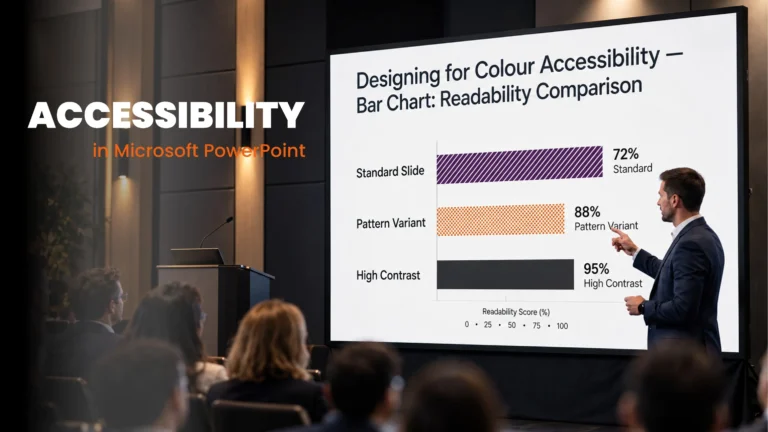
Across all three applications, colour contrast deserves careful attention. Brand palettes often contain pale tints, mid-tone greys and bright accent colours that work well as decorative elements but are unsuitable for small text. Normal text generally needs a contrast ratio of at least 4.5 to 1 under the Level AA criterion, while larger text may qualify at 3 to 1. Colour should also never be the only way to distinguish a status, data series, warning or instruction. Labels, symbols, patterns or explanatory text may be required as well.
Brand consistency and accessibility are not competing objectives. The document palette simply needs rules for where each colour can safely be used.
The exported PDF also needs consideration. Saving an Office file as a PDF does not automatically make it accessible. Its quality depends heavily on the source document, the export method and whether structural information such as headings, lists, reading order and alternative text is preserved. A document that begins with manually formatted headings and fragmented text boxes cannot be repaired simply by selecting a different file type at the end.
This is why document accessibility is partly a template issue. When every author starts with a blank page or an inadequately constructed branded file, the same failures are reproduced repeatedly. Correcting each finished document individually is slow, inconsistent and expensive. A well-developed Microsoft Office template establishes a better starting point before content creation begins.
An accessible Word template can include a purposeful style hierarchy, usable list levels, accessible table conventions, tested theme colours, appropriate language settings and instructions for adding images and charts. An accessible PowerPoint template can provide properly constructed layouts, unique title placeholders, logical default reading order and guidance for common content types. An Excel template can provide predictable worksheet structures, table styles, input guidance and colour conventions that remain understandable without colour perception.
A template cannot, however, guarantee that every finished document will comply. It cannot write context-sensitive alternative text for an image that has not yet been inserted, decide whether a newly created table has become too complex, or prevent every user from applying an unsuitable colour. Microsoft Accessibility Checker can identify many problems, but an automated result is not a substitute for informed review or, where appropriate, testing with assistive technology.
The template creates the accessible foundation. The author, guidance and checking process determine whether that foundation is preserved.
The most effective approach combines three elements: accessible template architecture, practical user guidance and a defined checking process before publication or distribution. This moves accessibility away from emergency remediation and into normal document production. It also helps people without declared disabilities: clear navigation, readable contrast, meaningful labels and well-structured information improve documents for readers working on small screens, in bright environments, under time pressure or with temporary impairments.
Accessibility requirements also extend beyond the United Kingdom. Organisations operating internationally may need to consider the European Accessibility Act, disability legislation in Australia, the Americans with Disabilities Act and Section 508 requirements in the United States, as well as procurement or sector-specific standards. The exact legal obligations differ, and no single template can provide a universal legal guarantee. Nevertheless, a properly structured Microsoft Office template creates a far stronger foundation for meeting the requirements relevant to each market.
ZOARC Creative is based in London and works with organisations in the United Kingdom and across other countries and continents. Word, PowerPoint and Excel templates can be designed, developed or reviewed with accessibility considered as part of the underlying system. This may include structural styles, slide layouts, reading order, colour-contrast testing, accessible table and chart conventions, export considerations and guidance for the people who will use the templates.
For international organisations, the accessibility brief can be defined against the markets, audiences and internal standards relevant to the project. Legal responsibility remains with the organisation, but the technical decisions made during template development can remove many recurring barriers before they reach the finished document.
Accessibility should not begin when somebody reports that they cannot use a document. It should begin when the document system is designed.
If your organisation is reviewing its document accessibility, the most useful starting point is not necessarily the latest individual report or presentation. It is the template from which hundreds of future documents will be created. ZOARC Creative can review existing Microsoft Office templates, identify structural and usability risks, and develop a more accessible foundation for consistent document production.
Explore more...
- ±5 minutes read

- ±5 minutes read

- ±6 minutes read

- ±7 minutes read
- ±5 minutes read

- ±5 minutes read